Management UI
Trama ships a built-in web interface that gives operators and developers full visibility into workflow definitions and executions — without querying the database directly.
Overview
The management UI is available at http://localhost:8000 when running via Docker Compose.
It is served by a lightweight Python BFF (ui/bff/) that proxies the Ktor API
and serves the Vue 3 single-page application.
The UI covers the full workflow lifecycle: create definitions with a visual graph editor, trigger executions through the API, then inspect results step-by-step with a Gantt timeline and per-call request/response detail.
Screenshot
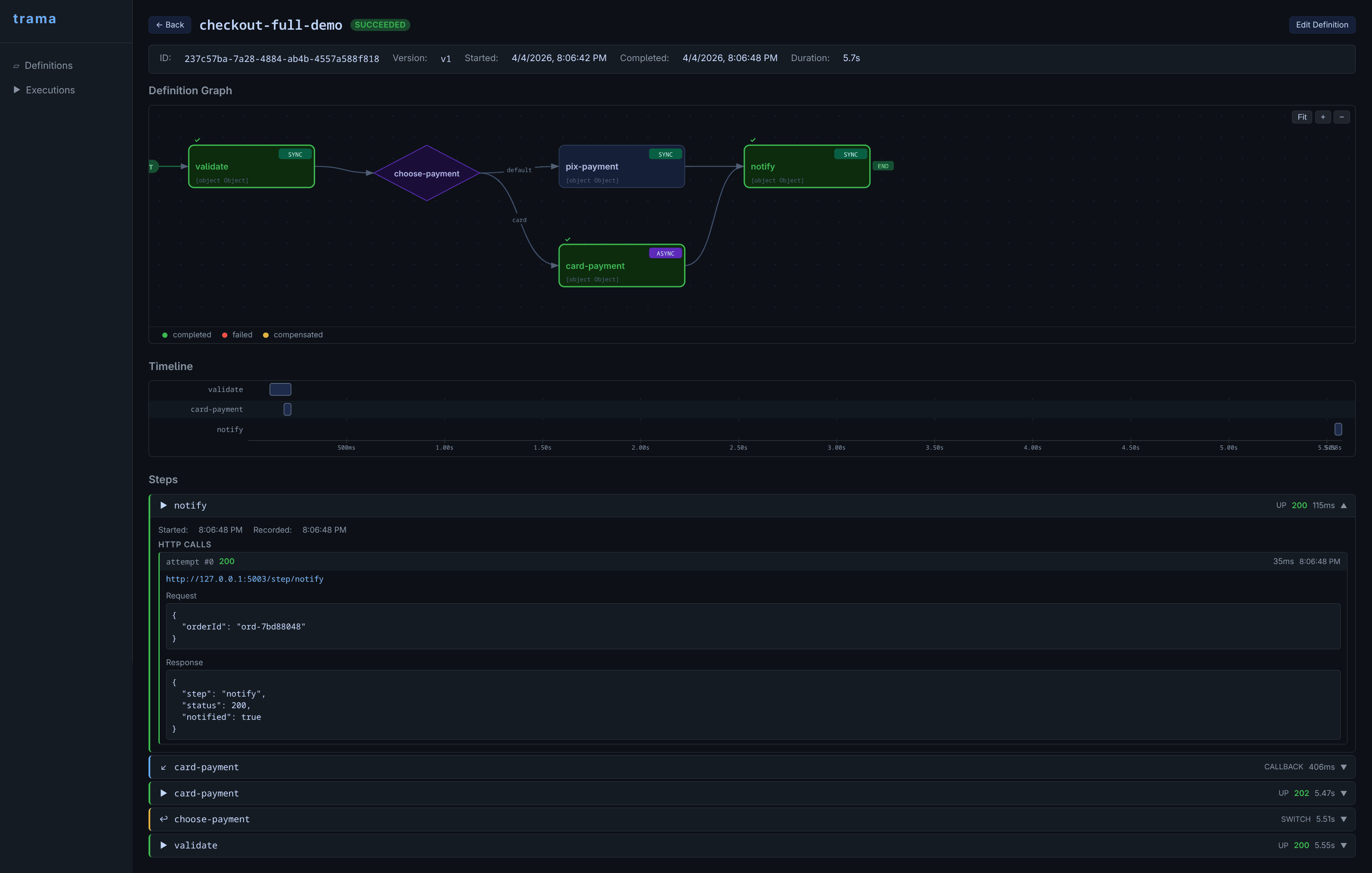
Execution inspector: definition graph with status overlay, Gantt timeline, and per-step request/response detail.
Features
| Section | What you can do |
|---|---|
| Definitions | List all stored definitions. Create and edit using a visual graph editor with drag-and-drop nodes. Delete with confirmation. |
| Executions | Browse recent executions filtered by status or name. Search by execution ID. |
| Execution Inspector | Definition graph with per-step status overlay (success / failed / compensated). Gantt timeline showing per-step latency and compensation phases. Per-step request and response detail with HTTP status code and duration. Retry failed executions directly from the UI. |
| Graph Editor | Visual node-graph editor for creating v2 definitions. Drag task and switch nodes, connect them with edges, configure via sidebar panel. Export or save directly to the API. |
Architecture
The UI stack lives in ui/ at the project root:
ui/management-ui/— Vue 3 + Vite single-page applicationui/bff/— Python FastAPI backend-for-frontend: proxies Ktor API calls, aggregates execution detail, serves the built Vue assetsui/definition-editor/— standalone graph editor (also embedded in the management UI)
The browser talks only to the BFF (:8000). The BFF forwards /api/*
requests to the Ktor orchestrator (:8080). This layer exists to support future
authentication and response aggregation without touching the core API.
Running locally
Start the full stack with Docker Compose:
docker compose up --buildThen open http://localhost:8000.
The Ktor API remains available directly at http://localhost:8080 for programmatic
access and automation.